
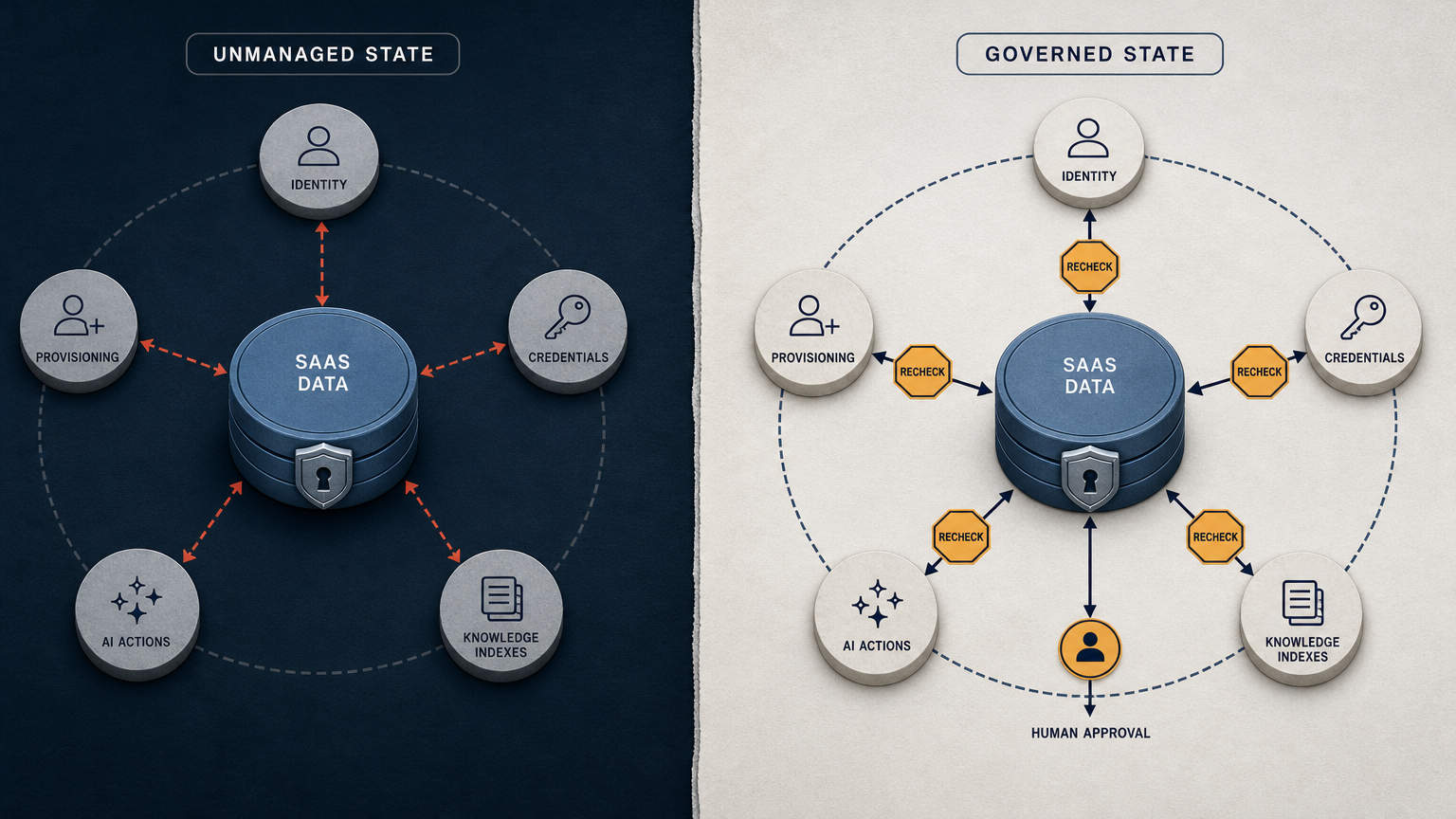
Start with dependencies, not headlines
A SaaS security incident often prompts a narrow question: Was our data accessed? That question matters, but it is not enough to guide operating decisions.
A more useful CIO question is: Which decisions, credentials, integrations, and automated actions depend on trust assumptions that may have changed?
A SaaS product can sit inside a larger operating chain. It may connect to identity systems, service accounts, provisioning workflows, support processes, internal search, analytics, AI tools, and emergency-access procedures. Even when an organization has limited information about an incident, it can still identify where those dependencies exist.
This is not a reason to assume every connected system is unsafe. It is a reason to distinguish low-consequence use from workflows that can change permissions, expose sensitive context, or trigger actions that are difficult to reverse.
The review should focus on the organization’s own environment:
- What information does each workflow read or copy?
- Which identity, credential, token, or session does it use?
- What can it change?
- Is a person required to approve the final action?
- Can the workflow be paused, monitored, and restored without losing evidence?
The answer should drive the response—not the product category alone.
Classify workflows by consequence
Not every automation requires the same response. A read-only reporting process and an automation that can grant privileged access should be assessed differently.
Low-impact workflows
A workflow may be lower risk when it is read-only, has limited data access, uses no privileged credentials, produces a complete audit trail, and can be disabled cleanly. These conditions can support continued operation under review, but they do not establish a universal safe state.
High-impact workflows
Give earlier attention to workflows that can:
- grant, revoke, recover, or modify access;
- use administrative or long-lived service credentials;
- initiate provisioning or offboarding changes;
- execute actions in downstream business or infrastructure systems;
- combine identity data with sensitive internal context; or
- act without a human reviewing the outcome.
For these workflows, a temporary pause or constrained mode may be appropriate while dependencies are assessed. Constraining a workflow can mean reducing permissions, limiting data access, adding human approval, or moving it to a monitored read-only mode.
This is a risk-management judgment, not a universal regulatory rule. The practical aim is to prevent an unclear dependency from becoming an avoidable high-impact action.
Review identity, credentials, and sessions
Credentials are not a single category. A review should distinguish among passwords, API keys, service accounts, access tokens, delegated permissions, persistent sessions, recovery mechanisms, and emergency credentials.
For each material workflow, establish a dependency record:
- the credential or identity it uses;
- the system that issued or stores it;
- the permissions it holds;
- its rotation, revocation, and expiration status;
- any downstream systems that accept it; and
- the owner responsible for approving a change.
A rotation event, by itself, may not resolve every downstream concern. An organization may also need to consider active sessions, cached tokens, delegated permissions, stored configuration, and integrations that rely on a separate credential path.
The relevant question is not simply whether a credential was changed. It is whether the organization can account for the identities and access paths that enable a particular workflow.
Emergency access deserves separate attention. A practical emergency path is typically narrow, attributable to a named person or approved role, time-limited, logged, and reversible. If it depends on the same identity or integration path under review, that dependency should be documented rather than assumed away.
Recheck integrations and provisioning paths
Integrations turn a SaaS application into part of a broader control environment. They can synchronize users, create accounts, route approvals, populate tickets, pass identity attributes, or initiate changes in downstream systems.
Create an integration inventory that identifies:
- connected identity providers and directory services;
- provisioning and deprovisioning processes;
- service accounts and API connections;
- privileged administration tools;
- ticketing and approval systems;
- AI tools that retrieve data or initiate requests; and
- systems that retain synchronized records.
Then ask whether each connection can be paused safely, whether it has a clear owner, and whether its actions are auditable.
Particular care is warranted where an integration can create access, approve access, recover an account, or propagate a change before a person reviews it. In those cases, an organization may choose to require a temporary approval checkpoint or reduce the integration’s permissions while it completes its assessment.
The objective is not to treat integrations as inherently suspect. It is to understand which paths can carry an incorrect assumption from one system into another.
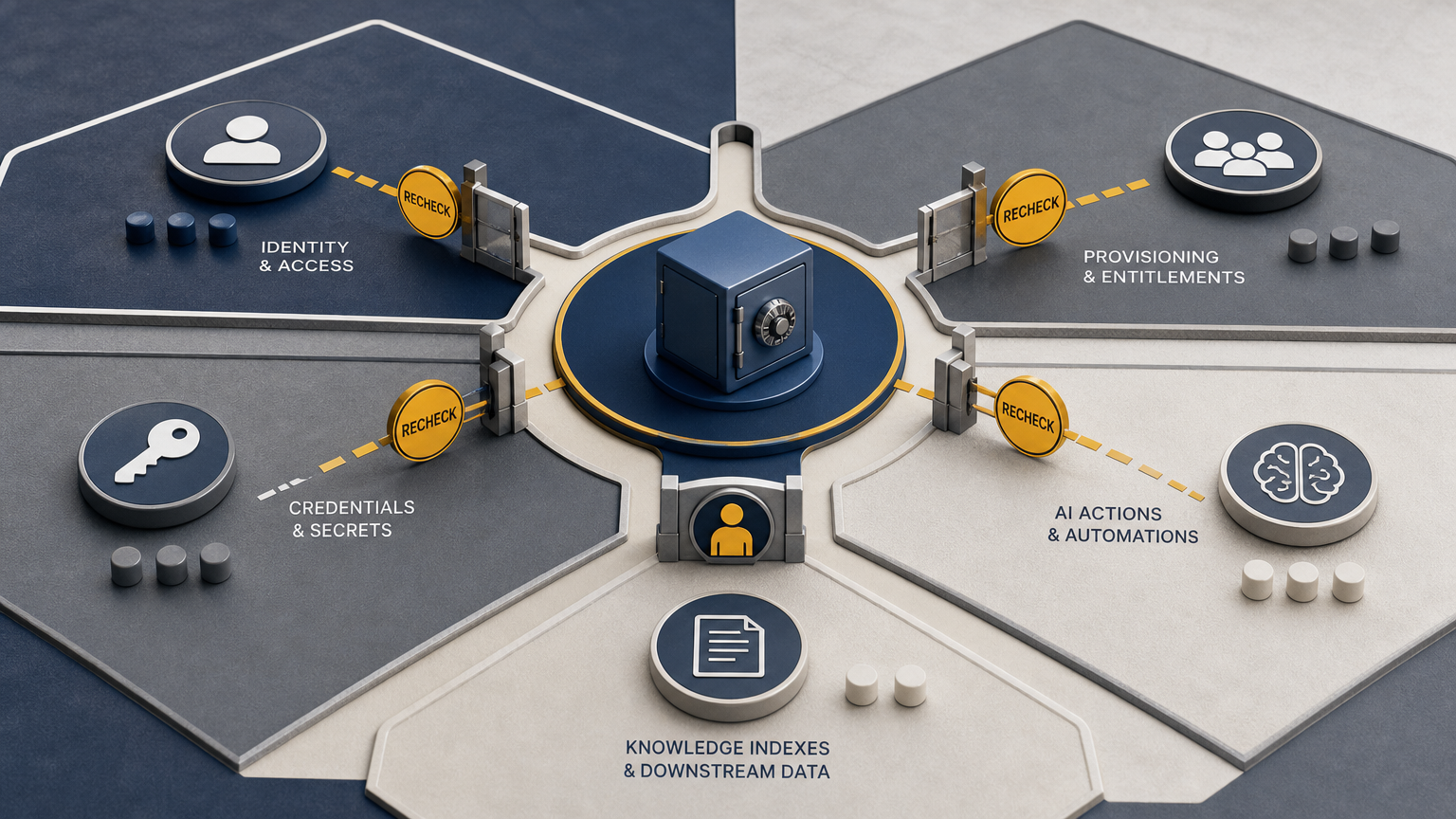
Treat knowledge connections as a separate boundary
SaaS data can be copied into search indexes, reporting tools, analytics platforms, support systems, copilots, and agent-accessible knowledge sources. These downstream connections may hold context about users, ownership, account status, timing, or access relationships.
That creates a separate review area: the source system and its copied context may not have the same permissions, retention settings, access groups, or monitoring.
Useful questions include:
- What information was synchronized or indexed?
- When did the last synchronization occur?
- Which users, tools, or agents can retrieve it?
- Can the connection be paused while preserving relevant records?
- Do reports, caches, or exports retain the same information elsewhere?
- Who can approve reindexing or restoration?
This is a data-lineage exercise. It helps teams identify where information travels, what decisions depend on it, and whether a restored source connection would simply resume an old risk path.
For AI-enabled workflows, examine both retrieval and action. A system that only summarizes bounded, non-sensitive material presents a different governance question from one that can combine multiple sources and trigger a downstream change.
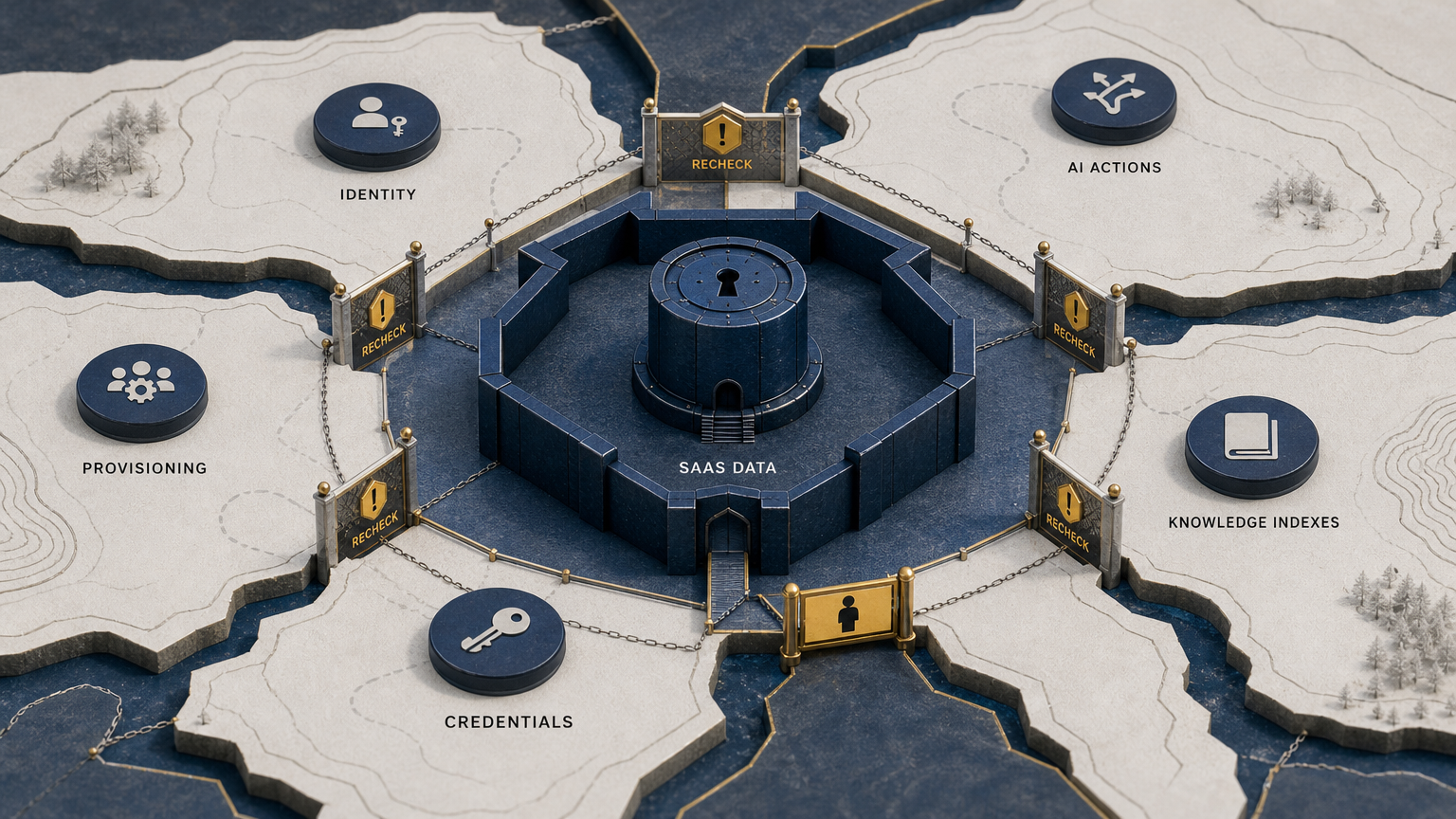
Use a proportionate pause decision
A pause should be targeted, documented, and reversible where possible. Consider a temporary pause when a workflow has one or more of these characteristics:
- It can grant, revoke, or recover access.
- It uses credentials, tokens, or sessions whose status is unclear.
- It can make high-impact changes without human approval.
- It combines identity or administrative context with sensitive internal information.
- It cannot produce a clear record of what it read or changed.
- It cannot be safely disabled or restored.
A four-part decision model can keep the response proportionate:
- Continue: The workflow is tightly bounded and its relevant dependencies are understood.
- Constrain: Reduce permissions, add approval, limit inputs, or increase monitoring.
- Pause: Stop the workflow while material authorization or exposure questions remain unresolved.
- Redesign: Remove or replace a dependency when a reliable restoration condition cannot be established.
The label matters less than the reasoning behind it. Record what was reviewed, what evidence informed the decision, who approved it, what limitations remain, and when the decision will be revisited.
Build an evidence-based restoration packet
Restoring automation should not depend only on reassurance or elapsed time. A reapproval packet can create a consistent record for business, security, legal, and operational stakeholders.
Scope and dependencies
Identify the workflow, its owner, the data it reads, the actions it can take, the systems it touches, and the credentials or identities it depends on.
Access and containment status
Document the current state of relevant credentials, sessions, service accounts, integrations, permissions, and emergency paths. Note which controls were changed and which dependencies remain under assessment.
Restoration controls
Specify the approval authority, permissions to be restored, monitoring to be applied, audit records to be retained, and the rollback path if a new concern emerges.
Human oversight
For consequential actions, define the person or role that reviews the outcome and the conditions that require escalation. Automation can assist analysis and routing without receiving unchecked authority to make every change.
Review cadence
Set a date or event that triggers a renewed assessment. Material changes to the vendor relationship, integration design, credential model, or internal workflow should reopen the decision.
This packet is adaptable to the organization’s risk profile. Its value is not bureaucracy for its own sake; it is making restoration decisions explainable and repeatable.
Make the operating lesson durable
A SaaS incident is a useful moment to examine whether automation has accumulated authority faster than governance has accumulated visibility.
The durable lesson is to manage trust as a set of dependencies rather than as a single vendor judgment. Map where data travels, which identities can act, what permissions are delegated, where copied context persists, and who can intervene when assumptions change.
For CIOs, the next practical step is to identify the automations that would be hardest to explain after an incorrect access grant, unauthorized change, or sensitive data exposure. Prioritize those workflows for review. Preserve human authority over high-impact decisions, and restore automation only with controls that make the decision observable, reversible, and accountable.